12.1. Score
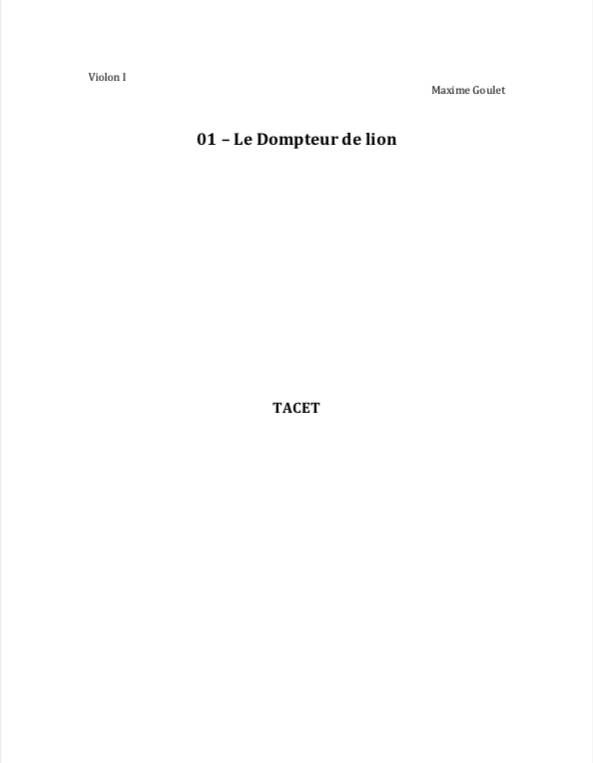
The PDF file name of the score must follow this format:
[Performance order number] – [Composer name] – [#Score]
Example: 01 – Maxime Goulet – #Score.pdf
There must be a “#” before the word “Score”. This ensures that the score file appears at the top of the file list in your folder.
12.2. Individual Parts
The PDF files for individual parts must follow this format:
[Performance order number] – [Composer name] – [Instrument]
Example: 01 – Maxime Goulet – Flute I.pdf
Instrument names must be written in English (not Italian).
12.3. Mockup
The audio file of the orchestral mockup must be in MP3 format.
The audio file must be named as follows:
[Performance order number] – [Composer name] – [#Simulation]
Example: 01 – Maxime Goulet – #Simulation
12.4. Click Track
If a click track is required, the audio file of the click track must comply with the requirements detailed on this page:
https://edu.maximegoulet.com/click-track-midi/
The click track audio file must be named as follows:
[Performance order number] – [Composer name] – [#Clicktrack]
Example: 01 – Maxime Goulet – #Clicktrack
12.5. Tempo Map
If a tempo map is required, the MIDI tempo map file must comply with the requirements detailed on this page:
https://edu.maximegoulet.com/click-track-midi/
The MIDI tempo map file must be named as follows:
[Performance order number] – [Composer name] – [#TempoMap]
Example: 01 – Maxime Goulet – #TempoMap
12.6. Folder Structure
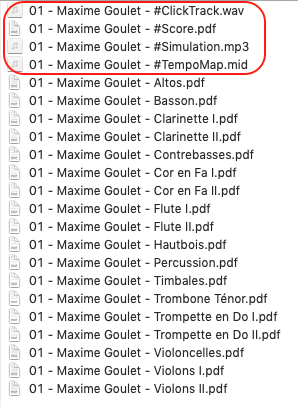
Your folder containing all files should look like this, with the four files beginning with “#” appearing at the top of the list: